Most students treat LinkedIn like a boring version of Facebook. You create an account because a professor told you to, upload a blurry photo, list your university, and then forget about it.
If you are a student in Nigeria, India, or Pakistan hoping to land a remote internship or a placement in the UK/USA, this “set it and forget it” strategy ensures you will fail.
Recruiters do not scroll randomly; they search. They use LinkedIn like Google. They type keywords like “Python,” “Content Writing,” or “Data Analysis.” If those words are not in your headline or summary, you do not exist to them.
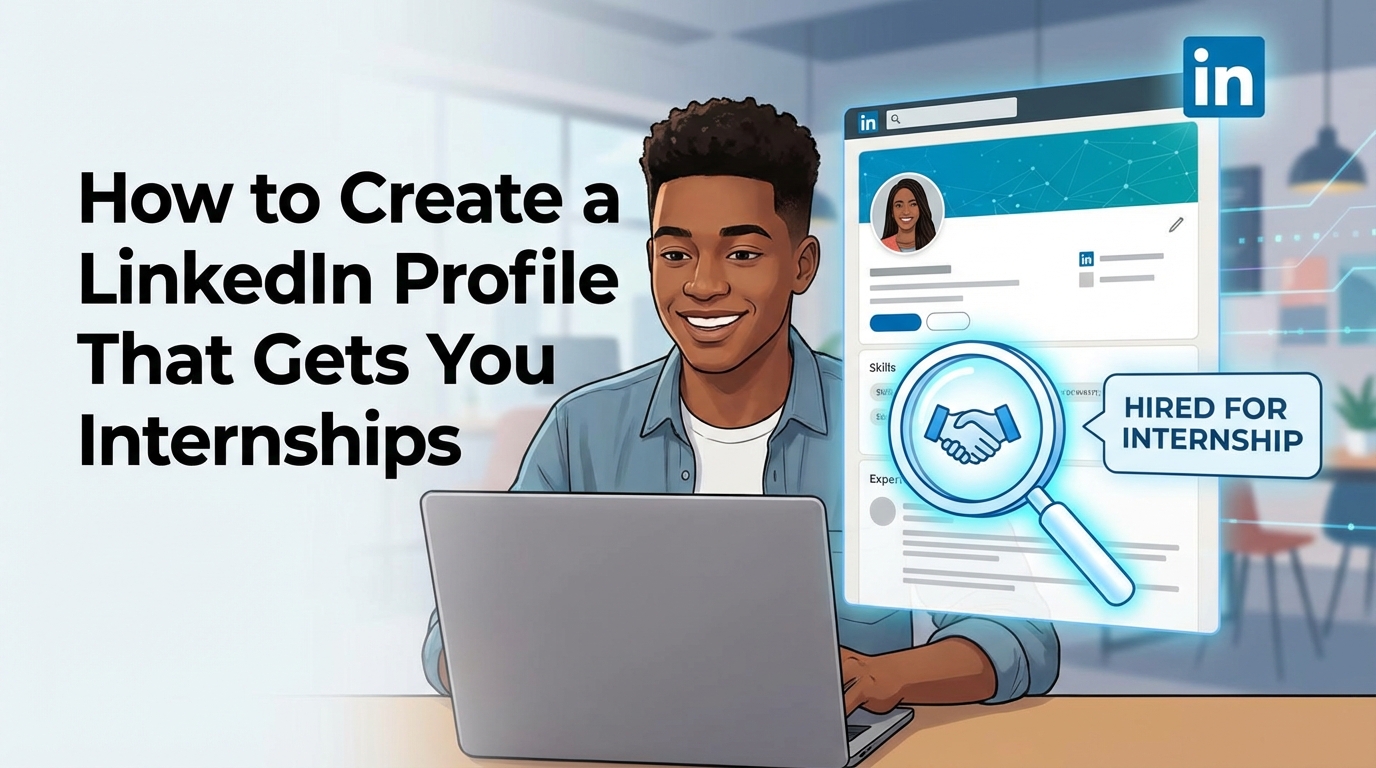
You are not competing with your classmates; you are competing with millions of students globally. To win, you must stop treating LinkedIn as a digital CV and start treating it as a Landing Page. Your profile’s job is to convert a visitor into a connection, and a connection into an interview.
In this guide, you will learn how to optimize every inch of your profile to rank higher in recruiter searches and prove your value, even if you have zero formal work experience.
Step 1: The Visual Trust Signals (Headshot and Banner)
Before a recruiter reads a single word, they judge your image. In high-trust markets like Canada and Europe, a poor visual presentation screams “amateur.”
The Headshot: You do not need a professional photographer. You need a smartphone and a window.
- Lighting: Stand facing a window (natural light). Never have the window behind you.
- Background: Use a plain white or grey wall. No messy bedrooms or busy streets.
- Attire: Wear what you would wear to a job interview. A collared shirt or a modest blouse.
- Expression: Smile. You want to look approachable, not intense.
The Banner (Background Photo): Leaving this the default grey color is a wasted opportunity. It is prime advertising space.
- What to put there: An image related to your field.
- Coding: A screenshot of clean code or a laptop.
- Finance: Stock charts or a clean office desk.
- General: A simple graphic with your contact info and “Open to Work.”
Pro Tip: Go to Canva and search for “LinkedIn Banner.” They have thousands of free templates. Customize one with your name and 3 core skills (e.g., “SEO | Content Marketing | Copywriting”) so recruiters know what you do instantly.
Step 2: The Headline (Stop Saying “Student”)
This is the most critical text on your profile. It follows your name everywhere—when you comment, post, or apply for jobs.
The Mistake: Writing “Student at University of Lagos.” The Problem: No recruiter wakes up and searches for “Student.” They search for skills.
The Formula:[Role You Want] | [Top 3 Hard Skills] | [Value Proposition]
Examples:
- Bad: “Student at Covenant University.”
- Good: “Aspiring Data Analyst | Python, SQL, Tableau | Helping businesses make data-driven decisions.”
- Bad: “Looking for internships.”
- Good: “Digital Marketing Specialist | SEO & Social Media Strategy | Growing brands through organic content.”
Pro Tip: Use the “pipe” symbol (|) to separate your skills. It makes the headline readable and scannable.
Step 3: The “About” Section (Your Elevator Pitch)
Do not copy-paste your CV summary here. This is your chance to speak directly to the human reading your profile. Write in the first person (“I am…”).
Structure:
- The Hook: Start with what excites you about your industry.
- The Evidence: Mention 1-2 key projects or achievements (not just grades).
- The Skills: List your technical tools.
- The Call to Action (CTA): Tell them how to contact you.
Keep paragraphs short (2-3 lines max). Huge blocks of text are intimidating on mobile screens.
Pro Tip: Add a “Key Skills” section at the bottom of your summary with a list of keywords (e.g., “Keywords: Java, C++, Project Management”). This helps the LinkedIn algorithm surface your profile when recruiters search for those specific terms.
Step 4: The “Experience” Section (For Students with No Jobs)
This is the biggest hurdle. “I have no experience, so I leave this blank.” Wrong.
Recruiters understand you are a student. They are looking for transferable skills, not just paid employment.
What counts as Experience?
- Volunteer Work: Did you manage the social media for your church? That is “Social Media Manager (Volunteer).”
- University Leadership: Were you the Class Governor or Society President? That is “Team Lead.”
- Freelance Work: Did you design a logo for your uncle? That is “Freelance Graphic Designer.”
- Course Projects: Did you build a mock app for your final year project? List it as “Software Developer (Academic Project).”
How to write it: Use bullet points. Start every bullet with an Action Verb (Created, Led, Analyzed, Developed). Focus on results, not just duties.
Pro Tip: You can attach media to your experience section. Upload your Project PDF, a link to your GitHub, or a photo of the event you organized. Visual proof is powerful.
Sample/Template Section
Here are templates to copy and adapt. Do not use them word-for-word; add your own personality.
Template 1: The Headline Formulas
For Tech Students:
Plaintext
Junior Frontend Developer | React.js, HTML5, CSS3 | Building responsive web applications | CS Undergrad at [University Name]
For Business/Marketing Students:
Plaintext
Marketing Enthusiast | Content Strategy, SEO, Google Analytics | Helping brands tell better stories | Open to Remote Internships
For General/Undecided Students:
Plaintext
Honors Student at [University Name] | Research, Public Speaking, & Project Management | Aspiring [Industry] Professional
Template 2: The “About” Section (Zero Experience)
Plaintext
Hi, I’m [Name].

I have always been fascinated by [Industry, e.g., how data shapes business decisions]. As a final-year student at [University], I am turning that curiosity into a career in [Role, e.g., Data Analytics].

Currently, I am proficient in [Skill 1] and [Skill 2]. I recently completed a capstone project where I analyzed [Dataset] to predict [Outcome], achieving [Result, e.g., 90% accuracy]. You can see the code in my Featured section below.

I am essentially a "sponge"—eager to learn, quick to adapt, and ready to contribute to a team.

My Toolkit:
- Technical: [List 3-5 Hard Skills]
- Soft Skills: [List 2-3 Soft Skills]

I am actively looking for internship opportunities in [Sector]. If you are looking for a dedicated intern who learns fast, let’s connect!

📧 Email: [Your Email Address]
Template 3: The “Connection Request” Note
Never send a blank request. Use this script when connecting with Alumni or Recruiters.
Plaintext
Hi [Name],

I’m a student at [University] aspiring to enter the [Industry] space. I’ve been following [Company Name]’s work on [Specific Project] and found it incredibly inspiring.

I’d love to connect and keep up with your updates.

Best,
[Your Name]
Common Mistakes to Avoid
- The “Open to Work” Desperation: Using the green “Open to Work” frame is fine, but coupling it with a headline like “Desperately looking for any job” is a red flag. It suggests you have no focus.
- Fix: Keep your headline skill-focused. Let the green frame do the signaling, but let your text prove your value.
- Listing Every Single Certificate: You do not need to list a “Certificate of Participation” for a 1-hour webinar you attended in 2020. It clutters your profile.
- Fix: Only list certifications that required an exam or significant effort (e.g., Google Career Certificates, AWS, HubSpot).
- Ghosting Your Own Profile: Creating a profile and never logging in again. LinkedIn rewards activity.
- Fix: Comment on 3 posts a day. Simple comments like “Great insight, thanks for sharing!” keep your profile active and visible to your network.
FAQ
Q: Should I pay for LinkedIn Premium?A: As a student, no. The free features are sufficient to build a great profile and search for jobs. Premium is useful if you want to message people you aren’t connected with (InMail) or see exactly who viewed your profile, but it is expensive. Focus on optimizing your free profile first.
Q: Can I connect with people I don’t know?A: Yes. That is the point of LinkedIn. However, you must add a personal note (see Template 3 above). Connecting with strangers without a note is often ignored. Target Alumni from your university first; they are the most likely to accept.
Q: How many skills should I list?A: You can list up to 50, but your “Top 3” are the most important because they show up on your profile preview. Pin your most relevant hard skills (e.g., Python, Copywriting, Accounting) to the top. Do not fill this section with generic words like “Microsoft Word” or “Hard Worker.”